


IQOS ILUMA Complete Guide: Models, TEREA, Charging & Troubleshooting

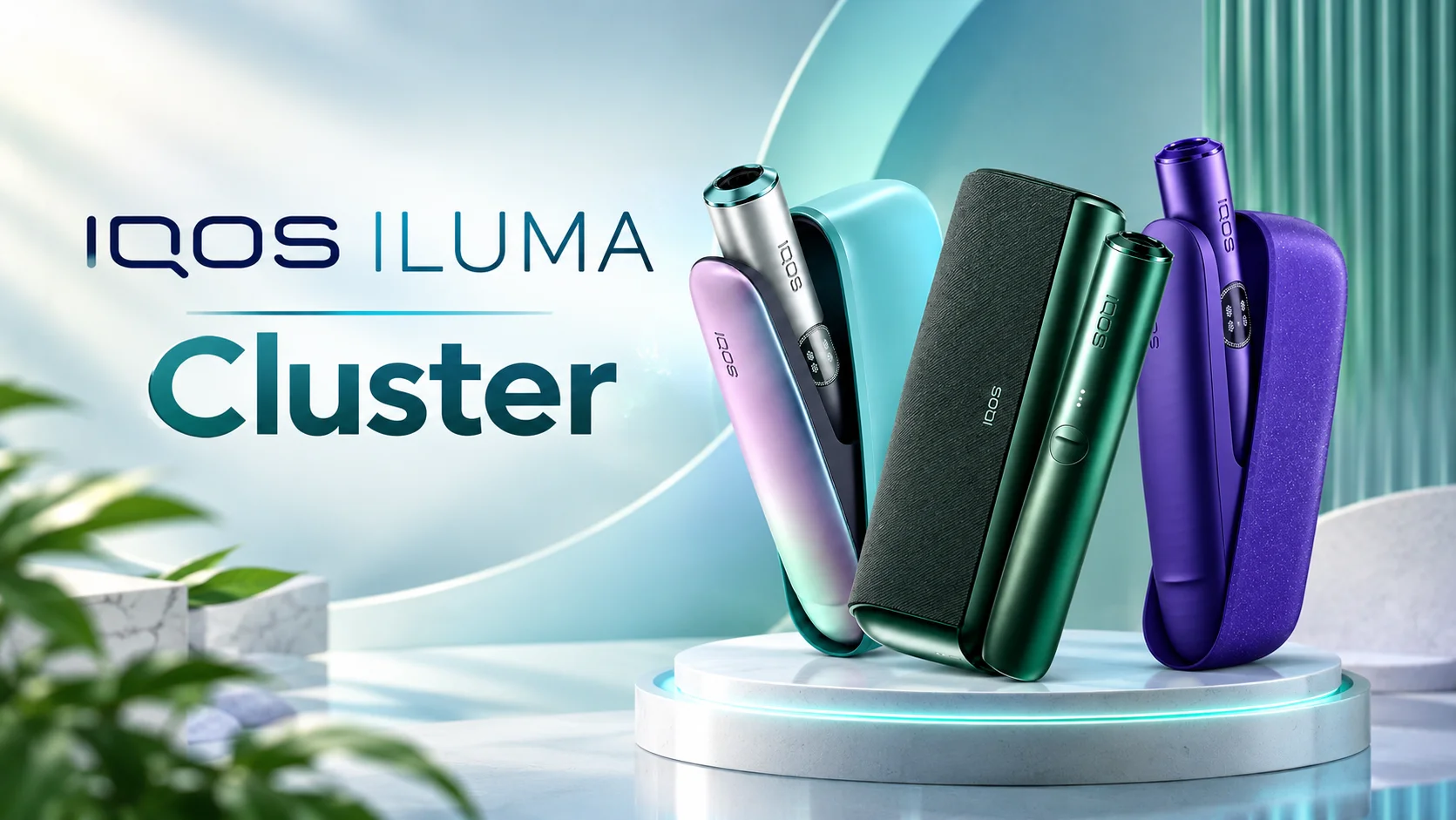
If you’ve just picked up an IQOS ILUMA, or you’re trying to decide between the different versions, you probably have a few questions. Maybe your device stopped heating properly. Maybe you’re not sure which model fits your habits. Maybe you just want to understand how TEREA and induction heating actually work.
This guide walks through the full ILUMA lineup, how to use it with TEREA, and what to do when something isn’t working the way it should.
What Is IQOS ILUMA?
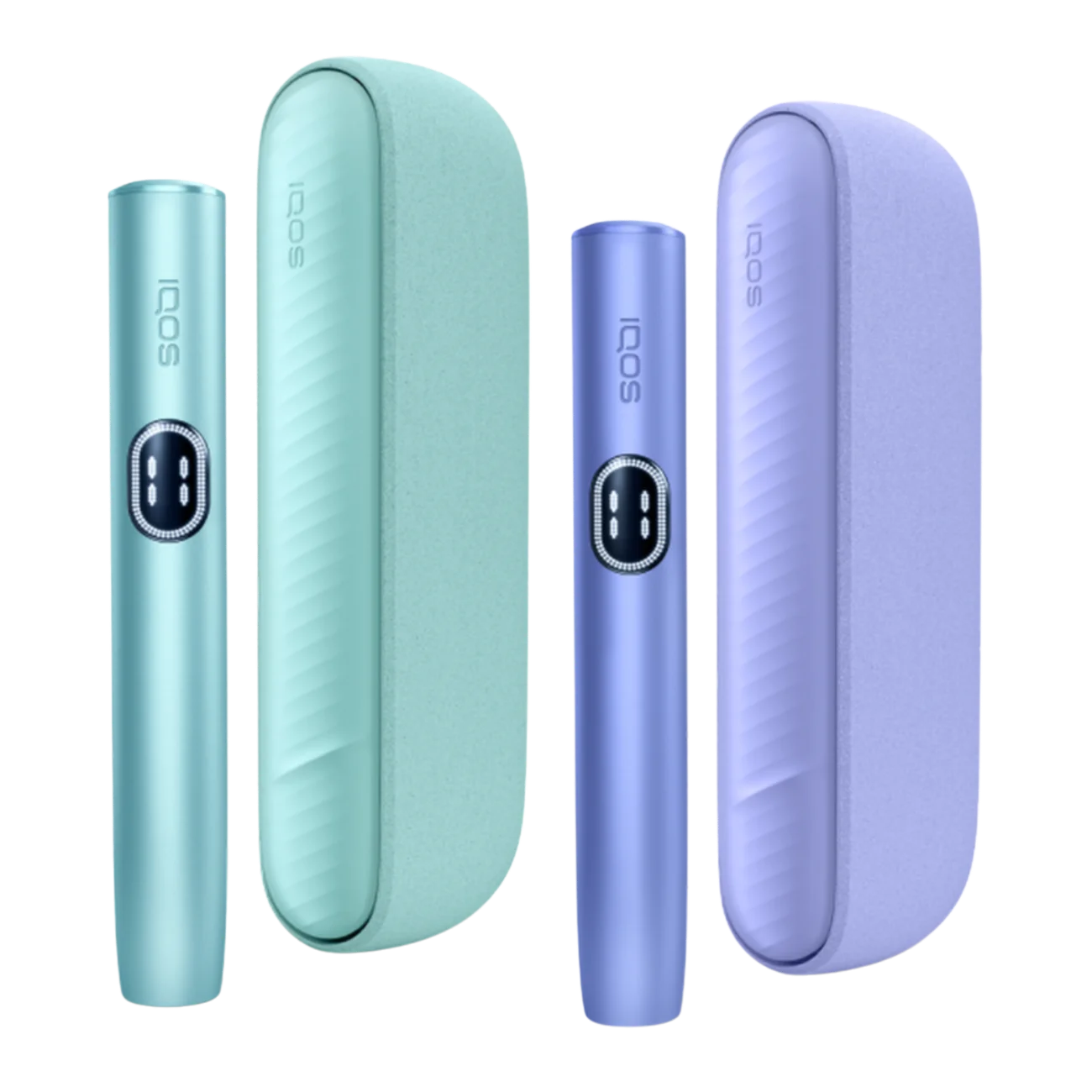
IQOS ILUMA is a heated tobacco device that uses induction heating instead of a blade. Older IQOS devices heated tobacco sticks with a metal blade inserted into the stick itself. ILUMA works differently: it heats a metal element inside the device, and that element then heats specially designed TEREA sticks from the outside.
This is why ILUMA devices only work with TEREA, not with the tobacco sticks made for earlier IQOS models. TEREA sticks contain a small metal element built into the tobacco plug, which reacts to the induction heating inside the device. Without that element, the device has nothing to heat.
Because there’s no blade, ILUMA devices don’t need the same kind of cleaning that older models did. That’s one of the main practical differences users notice early on.
IQOS ILUMA Models Explained
The ILUMA range now includes several devices: IQOS ILUMA, IQOS ILUMA ONE, IQOS ILUMA PRIME, IQOS ILUMA i, and IQOS ILUMA i PRIME. They all use the same induction heating system and TEREA sticks, but they differ in design, charging, and day-to-day convenience.
| Model | Charging Style | Best Suited For |
|---|---|---|
| IQOS ILUMA | Holder + separate pocket charger | Users who want the standard two-piece setup |
| IQOS ILUMA ONE | Built-in battery, no separate holder | Users who prefer one simple all-in-one device |
| IQOS ILUMA PRIME | Holder + premium pocket charger | Users who want a more refined design and finish |
| IQOS ILUMA i | Updated holder + charger generation | Users who want the newer i-series improvements |
| IQOS ILUMA i PRIME | Updated premium holder + charger | Users who want the newer generation with a premium build |
Availability of specific models, colors, and finishes can vary depending on the market, so not every version is always sold in every country.
IQOS ILUMA vs IQOS ILUMA ONE
The core difference is the charging setup. IQOS ILUMA uses a separate holder and pocket charger, so you charge the holder inside the charger between uses. IQOS ILUMA ONE combines everything into a single device with its own built-in battery, so there’s no separate charger to carry around.
People who like a simple, single-piece device tend to prefer ILUMA ONE. People who don’t mind carrying a charger, and who like having a charged holder ready to go throughout the day, often prefer the standard ILUMA setup.
IQOS ILUMA vs IQOS ILUMA PRIME
IQOS ILUMA PRIME uses the same holder-and-charger structure as the standard ILUMA, but with a different design finish and materials aimed at a more premium feel. The core heating technology and TEREA compatibility are the same across both.
The practical difference mostly comes down to design preference and finish rather than a change in how the device performs. If the look and feel of the device matters to you, PRIME is worth comparing directly against the standard version in person.
IQOS ILUMA vs IQOS ILUMA i
The i-series is a newer generation built on the same induction heating approach, with refinements to the holder and charging experience. If you’re deciding between an original ILUMA and an IQOS ILUMA i device, the i-series generally reflects updates made after the first generation was released, rather than a completely different way of working.
For most everyday users, the difference will be felt more in daily convenience and design details than in TEREA compatibility, since both generations work with the same TEREA sticks.
IQOS ILUMA i vs IQOS ILUMA i PRIME
Within the i-series, the standard IQOS ILUMA i standard and IQOS ILUMA i PRIME follow the same pattern as the earlier generation. The i PRIME version focuses on a more premium design and finish, while the standard i version offers the same core functionality in a simpler build.
There’s also an IQOS ILUMA i ONE in this generation, which follows the same built-in-battery, no-separate-charger approach as the earlier ONE model.
How to Use IQOS ILUMA With TEREA
Using ILUMA with TEREA is meant to be simple once you know the basic steps.
- Make sure the holder is charged before you start.
- Choose a TEREA stick compatible with ILUMA devices — regular IQOS sticks won’t work.
- Insert the TEREA stick fully into the holder, tobacco end first.
- On devices with AutoStart, the heating process begins automatically once the stick is inserted correctly. On other models, you may need to press and hold the button to start.
- Wait for the indicator to show the device is ready before you begin drawing on it.
- Each session lasts for a set number of puffs or a set time, after which the device will stop heating.
- After the session ends, remove the used TEREA stick and dispose of it. Recharge the holder if needed before your next use.
If you’re still deciding which stick to try, it can help to look through the range of TEREA flavors available before settling on a regular choice.
How to Charge IQOS ILUMA
Charging works by placing the holder into its charger, or by connecting the device to power if you’re using ILUMA ONE. A full charge typically takes some time, and the device will usually show a light pattern to confirm it’s charging.
If the device isn’t charging, check a few basic things first: make sure the charging contacts are clean and free of dust or residue, confirm the cable and adapter are working, and try a different power source if you’re using USB charging. Using the original or a properly compatible charging cable matters, since inconsistent charging equipment can cause slow or failed charging.
For general battery care, avoid leaving the device in extreme heat, and try not to let the battery sit fully drained for long periods.
Does IQOS ILUMA Need Cleaning?
IQOS ILUMA does not need the same blade-cleaning routine that older IQOS devices required, since there’s no blade involved. That’s a genuine practical improvement for many users.
That said, it’s still worth wiping down the holder occasionally and checking for any buildup of tobacco residue inside the heating chamber over time. Regular light maintenance can help keep the device working smoothly, even though it’s less demanding than older models.
IQOS ILUMA Indicator Lights Explained
ILUMA devices use light patterns to tell you what’s happening. A steady light generally means the device is ready or a session is in progress. A pulsing or blinking light while connected to a charger usually indicates charging is underway.
A low battery is often shown with a specific light behavior warning you to charge soon, and unusual or repeated blinking patterns outside of normal charging or use can point to an error. Exact light colors and patterns can differ slightly between models, so it’s worth checking the manual that came with your specific device if a light pattern seems unfamiliar.
IQOS ILUMA AutoStart Explained
AutoStart is a feature that begins the heating process automatically as soon as a TEREA stick is inserted correctly into a charged and ready holder. Instead of pressing a button to start each session, the device detects the stick and starts on its own.
This is mainly a convenience feature. It doesn’t change how TEREA is heated, just how the session is triggered.
What Is Smartcore Induction Technology?
Smartcore Induction Technology is the name for ILUMA’s core heating method. Instead of inserting a blade into the tobacco, the device uses an induction heating element built into the holder, which heats a metal component inside the TEREA stick itself.
In simple terms, induction heating works a bit like how an induction stovetop heats a pot without an open flame touching it directly. The device generates heat inside the stick through this induction process, rather than transferring heat from an external blade.
IQOS ILUMA Not Heating TEREA: Common Reasons
If your device isn’t heating, work through these checks in order.
- Confirm the holder has enough charge and isn’t sitting at zero battery.
- Check that you’re using a TEREA stick, not a stick made for an older IQOS model.
- Remove the stick and reinsert it, making sure it’s pushed in fully and straight.
- Look at the indicator lights for any error pattern.
- Try charging the holder fully, then attempt a new session.
- If the device has a restart function, try restarting it according to the instructions in your manual.
If none of these steps help, the issue may point to a fault that needs official support rather than something you can fix yourself.
IQOS ILUMA TEREA Not Working: Troubleshooting Guide
| Problem | What to Check | Possible Solution |
|---|---|---|
| TEREA doesn’t start heating | Battery level, stick type | Charge device, confirm it’s TEREA-compatible |
| Device doesn’t detect the stick | Insertion depth and angle | Remove and reinsert the stick fully and straight |
| Device heats briefly then stops | Battery level, session limits | Recharge and try a fresh session |
| Session ends unexpectedly | Battery, overheating protection | Let the device cool, then recharge before next use |
| Persistent error light | Internal fault | Contact official support or service channels |
If a problem repeats across multiple sticks and multiple sessions, it’s unlikely to be caused by the TEREA stick itself. At that point, contacting official IQOS support is a safer step than attempting to open or repair the device yourself.
IQOS ILUMA Battery Guide
ILUMA devices rely on rechargeable batteries inside the holder, and in the case of ILUMA ONE, inside the single device itself. Like most rechargeable batteries, performance can be affected by charging habits, temperature, and age over time.
If you notice the battery draining faster than it used to, try charging with the original or a properly compatible charger, and avoid leaving the device in very hot conditions, such as inside a car on a warm day. Battery performance naturally declines with heavy daily use over months, which is normal for rechargeable devices in general, though an exact lifespan isn’t something that can be promised for every unit.
Frequently Asked Questions
Can you use TEREA with IQOS ILUMA?
Yes. TEREA sticks are specifically designed for ILUMA devices and their induction heating system, and ILUMA devices are built to work only with TEREA rather than the tobacco sticks used in older IQOS generations.
Does IQOS ILUMA need cleaning?
ILUMA doesn’t require blade cleaning since it has no blade, which is a key difference from earlier IQOS devices. It still benefits from occasional wiping and checking for tobacco residue buildup inside the heating chamber.
What should I do if IQOS ILUMA is not heating TEREA?
Start by checking the battery level and confirming you’re using a genuine TEREA stick inserted fully and correctly. If the problem continues after charging and reinserting the stick, it’s worth checking the indicator lights for error patterns and contacting official support if the issue doesn’t resolve.
How do you charge IQOS ILUMA?
Place the holder into its charger, or connect ILUMA ONE directly to a power source, and wait for the indicator light to show a full charge. Using proper, compatible charging equipment and keeping the charging contacts clean helps avoid charging issues.
What is the difference between IQOS ILUMA and IQOS ILUMA ONE?
IQOS ILUMA uses a separate holder and pocket charger, while IQOS ILUMA ONE combines the battery and holder into a single all-in-one device with no separate charger needed. The choice mostly comes down to whether you prefer a two-piece setup or a simpler single device.
What is the difference between IQOS ILUMA i and IQOS ILUMA i PRIME?
Both belong to the newer i-series generation and use the same heating technology, but IQOS ILUMA i PRIME has a more premium design and finish compared to the standard i version. Functionally, both work the same way with TEREA sticks.
Can I use regular IQOS sticks with ILUMA devices?
No. ILUMA devices are built for TEREA sticks only, since TEREA contains the metal element needed for induction heating. Regular IQOS sticks made for blade-based devices aren’t compatible with ILUMA.
How long does an IQOS ILUMA battery last per charge?
Battery life per charge can vary by model and usage habits, so it’s best to check the specifications for your specific device rather than assume a fixed number of sessions.
Why is my IQOS ILUMA showing a blinking red or error light?
A blinking or unusual light pattern outside normal charging or low-battery signals often indicates an error. Restarting the device or fully recharging it can sometimes resolve this, but if the pattern repeats, it’s best to check official support resources.
Final Thoughts
IQOS ILUMA and its related models — ILUMA ONE, ILUMA PRIME, ILUMA i, and ILUMA i PRIME — all share the same core induction heating system and TEREA compatibility, with the differences mainly coming down to charging setup, design, and convenience. Most everyday issues, from charging problems to a device that won’t heat, can usually be traced back to a handful of simple causes: battery level, stick insertion, or compatibility.
If you’re still exploring your options, browsing top TEREA flavors in the UAE or checking the wider range of TEREA flavor options can help you find a stick that suits your ILUMA device. And if a persistent issue doesn’t clear up after basic troubleshooting, official support channels remain the safest route rather than attempting a fix on your own.